

Samsung T7 Touch Data Recovery in Singapore: Reliable Recovery for Secure Portable SSDs
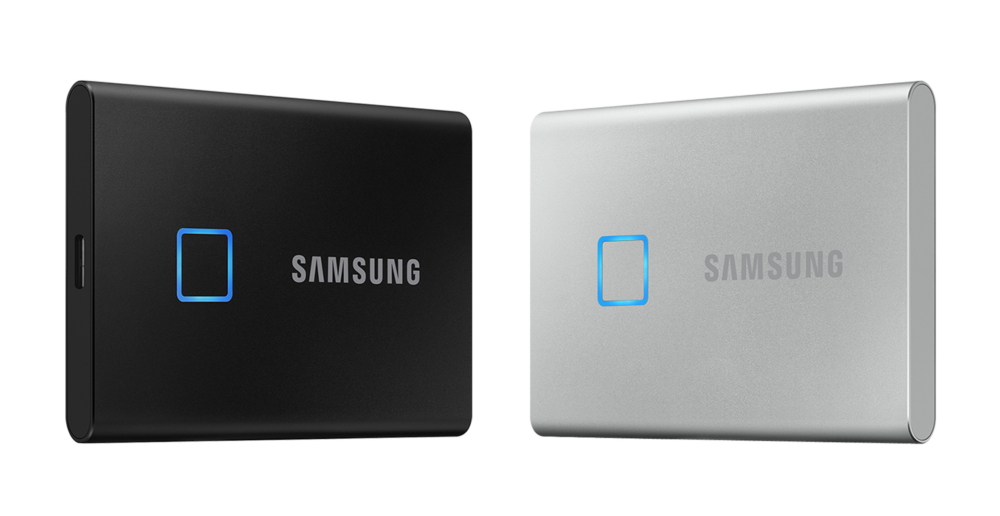
Samsung T7 Touch portable SSDs are popular for their fast performance, compact design, and built-in fingerprint security features. Many users rely on these drives to store important work documents, photos, videos, creative projects, and backups while keeping their files protected through encryption and biometric access. However, despite their advanced features and reliability, Samsung T7 Touch SSDs can still experience unexpected failures that result in inaccessible or lost data. When this happens, professional Samsung T7 Touch Data Recovery services can help recover your files safely.
At Pronto Arigato, we assist customers facing various SSD-related issues, including corrupted storage, firmware errors, accidental deletion, and hardware-level failures.
Common Causes of Samsung T7 Touch SSD Failure
Although Samsung T7 Touch SSDs are designed for speed and secure storage, several issues may still lead to data loss or device malfunction:
- Firmware corruption – Internal firmware problems may prevent the SSD from functioning or being detected properly.
- Controller or hardware failure – Damaged electronic components can interrupt access to stored data.
- Encryption-related access issues – Problems involving password or fingerprint authentication may prevent access to files.
- File system corruption – Improper ejection or interrupted file transfers may damage the drive structure.
- Accidental deletion or formatting – Important data may be erased unintentionally during normal use.
- Power interruptions – Sudden disconnections or unstable voltage may affect SSD stability and data integrity.
- Physical damage – Drops or accidental impact may damage internal SSD components or the USB connector.
Understanding these issues early can improve the likelihood of successful Samsung T7 Touch Data Recovery.
Signs Your Samsung T7 Touch SSD May Be Failing
A failing portable SSD often displays warning symptoms before complete failure occurs. Common signs include:
- Samsung T7 Touch SSD not recognized by the computer
- Fingerprint or password access problems
- Missing, corrupted, or inaccessible files
- Unexpected format prompts
- Slow transfer speeds or freezing during file access
- Frequent disconnecting while in use
- Read/write errors when saving or opening files
If you notice any of these issues, it is best to stop using the SSD immediately to avoid worsening the damage.
Why Professional Samsung T7 Touch Data Recovery Matters
Recovering data from encrypted SSDs can be more complex than standard storage devices. Features such as hardware encryption, TRIM functions, and controller-based storage management may make DIY recovery attempts risky and potentially irreversible.
At Pronto Arigato, we use specialized SSD recovery tools and professional techniques to safely perform Samsung T7 Touch Data Recovery. Our technicians are experienced in handling both logical corruption and hardware-related SSD failures, including encrypted portable drives.
Each recovery case is carefully managed to maximize the chances of successful file retrieval while protecting data security and confidentiality.
Our Samsung T7 Touch Data Recovery Process
We follow a structured recovery workflow to ensure transparency and secure handling:
- Device Diagnostics – The Samsung T7 Touch SSD is evaluated to determine the exact cause of failure.
- Recovery Assessment – We provide a detailed explanation of the issue, estimated turnaround time, and pricing before work begins.
- Secure Data Extraction – Specialized recovery equipment is used to retrieve files safely while minimizing additional risk to the SSD.
- Recovered Data Delivery – Restored files are securely transferred to a replacement storage device or cloud delivery platform.
All recovery cases are handled with strict confidentiality and care.
Why Choose Pronto Arigato for Samsung T7 Touch Data Recovery in Singapore?
- Experience with encrypted Samsung SSDs – Skilled in handling T7 Touch recovery cases involving secure storage features.
- Advanced SSD recovery equipment – Professional-grade tools designed for modern SSD recovery procedures.
- Transparent service process – Clear diagnostics and pricing before recovery begins.
- Secure handling of sensitive data – Your files remain protected throughout the recovery process.
- Convenient Singapore support locations – Easily accessible service points for faster assistance and evaluation.
You can also explore our complete recovery solutions here: Solid State Drive Data Recovery
Helpful Tips for SSD Recovery Situations
Encrypted portable SSDs like the Samsung T7 Touch require careful handling when problems occur. Repeated recovery attempts, formatting, or firmware updates may reduce the chances of successful recovery, especially if the SSD is already unstable.
If your Samsung T7 Touch SSD becomes inaccessible or starts showing errors, it is generally recommended to stop using the device immediately and seek professional assistance.
For additional information about SSD recovery processes and common mistakes to avoid, you can also refer to trusted external storage and recovery guides.
https://mdrepairs.com/blog/how-to-recover-data-from-ssd/?utm_source=chatgpt.com
Act Quickly to Improve Recovery Success
If your Samsung T7 Touch SSD is no longer accessible or displaying warning signs of failure, immediate action may improve the chances of successful data recovery. Continued use may increase the risk of permanent file loss.
Trust Pronto Arigato for reliable and professional Samsung T7 Touch Data Recovery services in Singapore.