

DELL EC27250 AIO PC SSD Replacement: Improve Performance and Storage Reliability
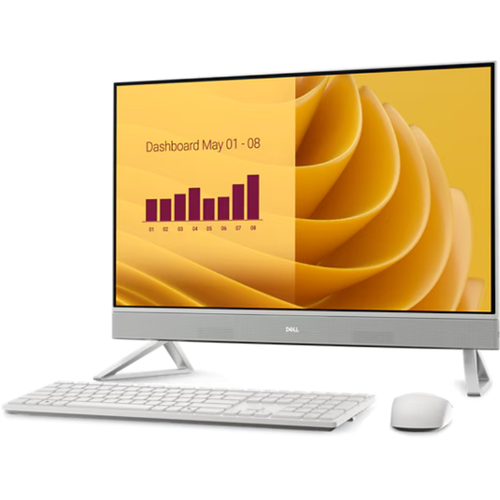
If your DELL EC27250 All-in-One PC has become noticeably slower, takes a long time to boot up, or frequently freezes during use, the storage drive may be contributing to the problem. As SSDs age, performance can decline, and hardware failures may eventually occur. A professional DELL EC27250 AIO PC SSD Replacement can help improve system responsiveness, increase storage capacity, and restore overall reliability.
At Pronto Arigato, we provide professional SSD replacement and upgrade services for DELL EC27250 All-in-One PCs, helping customers resolve storage-related issues and improve computer performance.
Common Reasons Why You May Need DELL EC27250 AIO PC SSD Replacement
Storage devices play a critical role in determining how quickly your computer starts, loads applications, and handles daily tasks.
Slow Boot Times
If Windows takes significantly longer than usual to start, the SSD may be deteriorating or approaching failure.
Frequent System Freezing
Storage-related problems can cause applications to become unresponsive and impact overall system performance.
SSD Hardware Failure
Although SSDs are generally reliable, they can eventually fail due to wear, component degradation, or electrical faults.
Insufficient Storage Space
As storage fills up, performance can suffer, and users may struggle to save files or install updates.
Data Corruption and Missing Files
Failing SSDs may lead to corrupted documents, inaccessible files, or recurring operating system errors.
Performance Upgrade Requirements
Many users choose to replace their existing SSD with a larger or faster drive to improve productivity and overall user experience.
Signs You Need DELL EC27250 AIO PC SSD Replacement
Your DELL EC27250 may benefit from SSD replacement if you experience any of the following symptoms:
- Slow startup times
- Applications taking longer to load
- Frequent freezing or lagging
- Windows boot errors
- Storage-related warning messages
- Missing or corrupted files
- Blue screen errors linked to storage issues
- Running out of available storage space
Addressing SSD problems early can help prevent unexpected downtime and potential data loss.
Why Professional SSD Replacement Matters
While SSD upgrades can greatly improve performance, proper installation and configuration are essential.
Accurate Storage Diagnostics
Professional testing helps determine whether the existing SSD is failing or whether a performance upgrade is recommended.
Safe Data Migration
Where possible, important files and system data can be transferred to the replacement SSD to minimize disruption.
Proper Installation
Professional installation helps ensure compatibility, stability, and optimal system performance.
System Optimization
After installation, the operating system and storage configuration can be optimized to maximize performance.
Our DELL EC27250 AIO PC SSD Replacement Process
At Pronto Arigato, we follow a structured process to ensure every SSD replacement is completed professionally.
Comprehensive Assessment
We evaluate the condition of the current SSD and identify the most suitable upgrade or replacement option.
SSD Recommendation
Our technicians recommend a storage solution based on your usage requirements, budget, and performance goals.
Professional Installation
The new SSD is installed using proper tools and industry-standard procedures.
Data Transfer and Testing
Where possible, existing data is migrated to the new drive before comprehensive testing is performed to verify functionality and performance.
Looking for Desktop Repair Services?
In addition to DELL EC27250 AIO PC SSD Replacement, Pronto Arigato also provides professional desktop repair services for startup issues, LCD replacement, WiFi problems, overheating concerns, motherboard repairs, and performance optimization.
You can also explore our Desktop Repair Services page to learn more about the repair solutions available for desktop computers and All-in-One PCs.
Regular maintenance can help improve performance, reduce hardware stress, and extend the lifespan of your All-in-One PC.
For additional computer maintenance guidance, you may refer to external computer care resources and best practices for keeping your system in good condition.
Computer Maintenance and Care Guide
Why Choose Pronto Arigato for DELL EC27250 AIO PC SSD Replacement?
With over five years of experience, Pronto Arigato has successfully serviced more than 20,000 devices and earned over 1,000 5-star reviews on Google.
Experienced Technicians
Our team has extensive experience upgrading and repairing DELL desktop and All-in-One PC storage systems.
Reliable Upgrade Solutions
We use quality SSDs and proven installation methods to ensure dependable performance improvements.
Affordable Service
We provide cost-effective SSD replacement and upgrade solutions without compromising quality.
Fast Turnaround
We understand the importance of your computer and work efficiently to minimize downtime.
Customer-Focused Support
We provide honest recommendations, transparent communication, and professional service throughout the repair process.
Visit Pronto Arigato Today for DELL EC27250 AIO PC SSD Replacement
If your DELL EC27250 All-in-One PC is experiencing storage-related issues or simply needs a performance boost, an SSD replacement may be the ideal solution.
Contact Pronto Arigato today for reliable DELL EC27250 AIO PC SSD Replacement services in Singapore and let our experienced technicians help improve your computer’s speed, responsiveness, and overall performance.