

DELL EC27250 AIO PC WiFi Not Working: Common Causes and Fixes
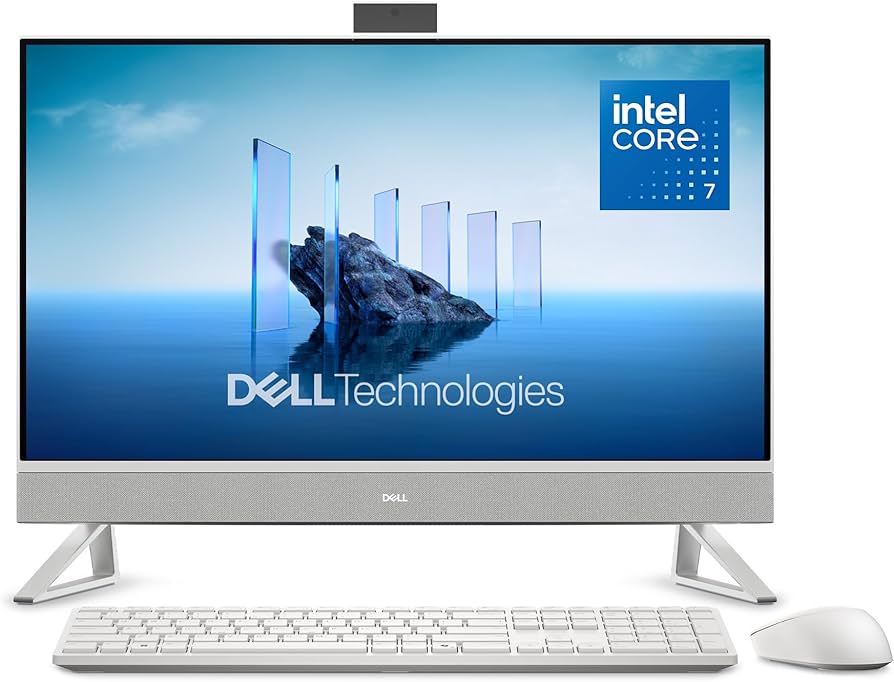
A stable internet connection is essential for work, online meetings, cloud applications, streaming, and everyday browsing. When your DELL EC27250 All-in-One PC cannot connect to WiFi or frequently loses its connection, it can quickly become frustrating and impact productivity. Whether your computer cannot detect wireless networks, experiences slow internet speeds, or disconnects unexpectedly, professional diagnosis can help identify the underlying cause.
At Pronto Arigato, we provide reliable repair services for DELL EC27250 All-in-One PCs experiencing wireless connectivity issues, helping customers restore stable and dependable network performance.
Common Reasons Why a DELL EC27250 AIO PC WiFi Is Not Working
Wireless connectivity issues can result from both hardware and software-related problems.
Faulty WiFi Adapter
A failing wireless network card may prevent the system from detecting available WiFi networks or maintaining a stable connection.
Corrupted or Outdated Drivers
Network drivers enable communication between the operating system and wireless hardware. Driver issues can lead to connection failures and unstable performance.
Incorrect Network Settings
Misconfigured network settings can prevent the computer from connecting properly to wireless networks.
Internal Antenna Problems
Damaged or disconnected antenna cables may reduce signal strength and affect overall wireless performance.
Motherboard-Related Faults
Certain wireless components may be integrated into the motherboard, and motherboard issues can sometimes cause WiFi connectivity problems.
Software or Operating System Conflicts
Windows updates, software conflicts, or corrupted system files can occasionally interfere with wireless networking functionality.
Signs You Need DELL EC27250 AIO PC WiFi Not Working Repair
Your DELL EC27250 may require professional diagnosis if you experience any of the following symptoms:
- Unable to detect nearby WiFi networks
- Frequent WiFi disconnections
- Slow or unstable internet connection
- WiFi option missing from Windows settings
- Unable to connect despite entering the correct password
- Network adapter errors appearing in Device Manager
- Weak wireless signal despite being close to the router
- Internet connection dropping unexpectedly
If these problems persist despite basic troubleshooting, professional testing may be required to identify the source of the issue.
Why Professional Diagnosis Matters
Wireless networking issues can stem from multiple components, making accurate diagnosis essential.
Accurate Fault Identification
Professional testing helps determine whether the issue is caused by the WiFi adapter, antenna system, motherboard, drivers, or operating system.
Safe Repair Procedures
DELL All-in-One PCs contain integrated hardware that requires careful handling during inspection and repair.
Effective Repair Solutions
Proper diagnostics help prevent unnecessary part replacements and ensure the actual problem is resolved.
Improved Long-Term Reliability
Addressing the root cause of the issue helps reduce the likelihood of recurring connectivity problems.
Our DELL EC27250 AIO PC WiFi Not Working Repair Process
At Pronto Arigato, we follow a structured repair process to diagnose and repair wireless networking issues.
Comprehensive Diagnostics
We perform detailed testing of the wireless hardware, software settings, and overall network functionality.
Repair Assessment
Our technicians explain the issue clearly and recommend the most suitable repair solution.
Professional Repair Service
Repairs are carried out using proper tools and quality replacement components where necessary.
Connectivity Testing
The system undergoes extensive testing to ensure stable WiFi performance and reliable internet connectivity.
Looking for Desktop Repair Services?
In addition to DELL EC27250 WiFi repairs, Pronto Arigato also provides professional desktop repair services for startup failures, LCD replacement, SSD upgrades, overheating issues, and motherboard repairs.
You can also explore our Desktop Repair Services page to learn more about the repair solutions available for desktop computers and All-in-One PCs.
Regular maintenance can help improve performance, reduce hardware stress, and extend the lifespan of your All-in-One PC.
For additional computer maintenance guidance, you may refer to external computer care resources and best practices for keeping your system in good condition.
Computer Maintenance and Care Guide
Why Choose Pronto Arigato for DELL EC27250 AIO PC WiFi Not Working Repair?
With over five years of experience, Pronto Arigato has successfully serviced more than 20,000 devices and earned over 1,000 5-star reviews on Google.
Experienced Technicians
Our team has extensive experience diagnosing and repairing DELL desktop and All-in-One PC networking issues.
Thorough Diagnostic Process
We carefully identify the root cause before recommending any repair work.
Affordable Repair Solutions
We strive to provide cost-effective repair services without compromising on quality.
Fast Turnaround
We understand how important internet access is and work efficiently to minimize downtime.
Customer-Focused Service
We provide transparent recommendations, clear communication, and professional support throughout the repair process.
Visit Pronto Arigato Today for DELL EC27250 AIO PC WiFi Not Working Repair
If your DELL EC27250 All-in-One PC is experiencing WiFi connectivity problems, don’t let the issue affect your productivity. Many wireless networking issues can be resolved through professional diagnosis and repair.
Contact Pronto Arigato today for reliable DELL EC27250 AIO PC WiFi Not Working repair services in Singapore and let our experienced technicians help restore your connection and get you back online.