

Toshiba Canvio Basics Data Recovery in Singapore: Reliable Recovery for External Hard Drive Failures
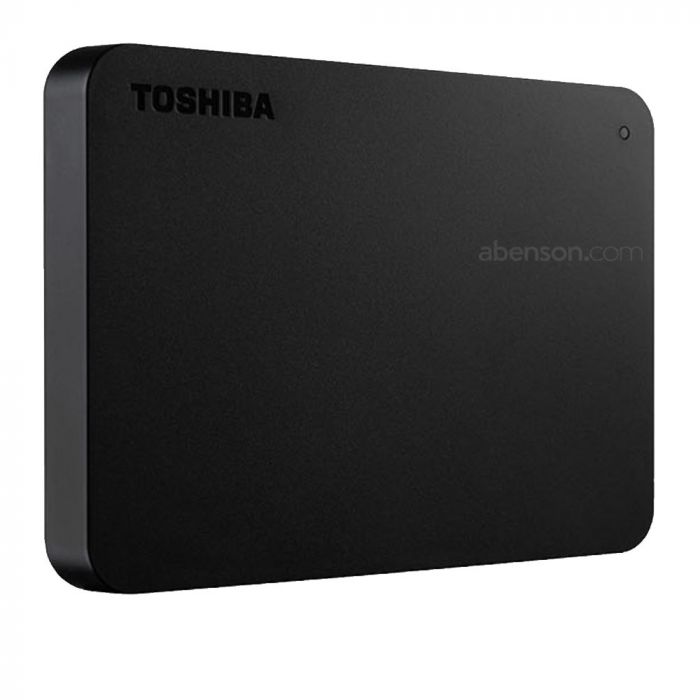
Toshiba Canvio Basics external hard drives are widely used for storing personal files, work documents, photos, videos, and backups. Known for their simple plug-and-play functionality and portable design, these drives are a convenient storage solution for everyday users. However, despite their reliability, Toshiba Canvio Basics drives can still encounter unexpected issues that lead to inaccessible or lost data. When this happens, professional Toshiba Canvio Basics Data Recovery services can help safely restore your important files.
At Pronto Arigato, we assist customers dealing with different types of Toshiba external hard drive failures, including file corruption, hardware issues, and accidental data loss.
Common Causes of Toshiba Canvio Basics Data Loss
Although Toshiba Canvio Basics drives are designed for regular daily use, several issues may still result in drive failure or missing data:
- Accidental deletion or formatting – Files may be unintentionally removed during cleanup, system setup, or user error. In many situations, deleted data may still be recoverable if not overwritten.
- Corrupted file systems – Improper ejection or interrupted transfers can damage the file structure, making files or folders inaccessible.
- Bad sectors on the drive – Over time, certain areas of the disk may become damaged and unreadable, affecting stored data.
- USB connectivity issues – Faulty cables, damaged ports, or unstable connections may prevent the drive from being detected properly.
- Firmware-related problems – Internal software issues may affect communication between the drive and the operating system.
- Physical damage – Drops, shocks, or accidental impact may damage internal components and affect data accessibility.
- Power or electrical issues – Sudden power interruptions or surges can cause corruption or hardware malfunction.
Understanding these causes early can help reduce further damage and improve the chances of successful Toshiba Canvio Basics Data Recovery.
Signs Your Toshiba Canvio Basics Drive May Be Failing
A failing external hard drive often shows warning symptoms before complete failure occurs. Common signs include:
- Drive not recognized by the computer – The device may fail to appear when connected through USB.
- Missing or corrupted files – Photos, videos, or documents may suddenly disappear or fail to open properly.
- Format prompts appearing unexpectedly – The operating system may request formatting before allowing access to the drive.
- Slow transfer speeds or freezing – Opening folders or copying files may become unusually slow or unstable.
- Frequent disconnections during use – The drive may disconnect randomly while transferring or accessing files.
- Clicking or unusual sounds – Mechanical noises may indicate internal hardware problems developing inside the drive.
If these symptoms appear, it is best to stop using the drive immediately to avoid worsening the condition.
Why Professional Toshiba Canvio Basics Data Recovery Is Recommended
While some software-related issues may seem simple, attempting recovery without proper tools and experience may worsen the situation. DIY fixes can accidentally overwrite files or place additional stress on a failing drive.
At Pronto Arigato, we use specialized recovery tools and professional procedures to safely perform Toshiba Canvio Basics Data Recovery. Our technicians are experienced in handling both logical corruption and physical storage failures.
Each recovery case is handled carefully to maximize the chances of retrieving important data safely.
Our Toshiba Canvio Basics Data Recovery Process
We follow a structured recovery workflow to ensure safe handling and transparency throughout the process:
- Initial Drive Assessment – The Toshiba Canvio Basics drive is inspected to determine the cause and severity of the failure.
- Recovery Consultation – We provide a clear explanation of the issue, estimated recovery chances, pricing, and turnaround time.
- Professional Data Extraction – Specialized recovery equipment is used to retrieve files while minimizing additional damage to the drive.
- Secure Data Return – Recovered files are transferred to a replacement drive or securely delivered through cloud-based methods.
All recovery cases are handled with confidentiality and care.
Why Choose Pronto Arigato for Toshiba Canvio Basics Data Recovery in Singapore?
- Experience with Toshiba external drives – Our technicians regularly handle Toshiba Canvio Basics recovery cases involving different failure types.
- Advanced recovery equipment – Professional-grade tools help improve recovery success rates for damaged or corrupted drives.
- Transparent service process – Clear diagnostics and pricing are provided before recovery begins.
- Confidential data handling – Your files and information remain protected throughout the recovery process.
- Convenient support locations – Easily accessible service centers in Singapore for quicker assistance and evaluation.
Act Quickly to Improve Recovery Success
If your Toshiba Canvio Basics drive has become inaccessible or started showing signs of failure, acting quickly can improve the chances of successful recovery. Continued usage may increase the risk of permanent file loss.
Trust Pronto Arigato for dependable and professional Toshiba Canvio Basics Data Recovery services in Singapore.
Why Regular Backups Are Important
One of the best ways to reduce the impact of unexpected drive failure is by maintaining regular backups of your important files. External hard drives can still fail due to accidental damage, corruption, or hardware-related issues, which is why having an updated backup strategy is highly recommended.
For helpful guidance on creating backups using an external hard drive, you can refer to this article from Toshiba:
How to Create a Computer Backup on an External Hard Drive