

If you’re wondering “is 8GB RAM enough in 2026?”, the answer depends largely on how you use your laptop. While 8GB of RAM was once standard for most users, modern software, web browsers, and operating systems now demand more memory. As a result, 8GB RAM may feel limited for many multitasking scenarios today.
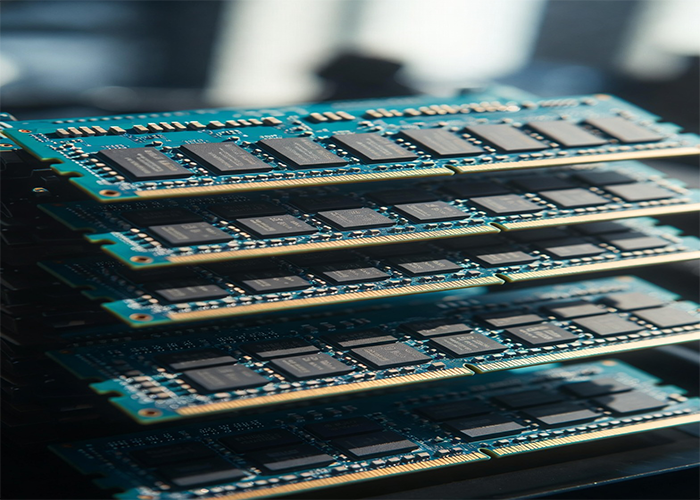
What RAM Does and Why It Matters in 2026
RAM (Random Access Memory) allows your laptop to handle multiple tasks at once. In 2026, even light applications consume more memory than before. When RAM runs low, your laptop starts using storage (SSD) as temporary memory, which slows down performance.
Common RAM-dependent tasks include:
- Opening multiple browser tabs
- Running video calls with Zoom or Teams
- Editing documents in Microsoft Office or Google Workspace
- Using AI-powered tools
Understanding whether 8GB RAM is enough in 2026 is essential if you want smooth performance in everyday computing.
Why 8GB RAM Feels Limited in 2026
In recent years, both applications and operating systems have increased their memory usage. Even when your laptop is idle, a large portion of RAM is already in use.
Common factors include:
- Web browsers using substantial memory per tab
- Background applications such as Zoom, Microsoft Teams, and Slack
- Operating system updates requiring more resources
- AI-powered tools and features consuming additional memory
This means less RAM is available for active tasks, which can lead to slower performance.
Real-World Usage: Is 8GB RAM Enough To Handle Demands?
Basic Usage
For light users asking “is 8GB RAM enough in?”, it’s still adequate for:
- Web browsing with a few tabs
- Streaming videos or music
- Using office software
Performance is acceptable, though not as smooth as systems with more memory.
Moderate Usage
For business users or students who multitask, limitations become more noticeable. For example:
- Running 10–20 browser tabs
- Using Excel while on video calls
- Switching between multiple applications
In these scenarios, you may experience lag, slower response times, or occasional freezing.
Heavy Usage
For power users, the answer to “is 8GB RAM enough?” is usually no. This includes:
- Video editing or graphic design
- Programming with multiple development tools
- Gaming and AI applications
For these tasks, upgrading to 16GB or more is strongly recommended.
What Happens When RAM Is Not Enough
When your system runs out of available RAM, it uses storage (SSD) as temporary memory. This process is much slower and can result in:
- Delays when switching between applications
- System freezing or stuttering
- Increased wear on storage drives
This is one of the main reasons why laptops with insufficient RAM feel slow even when they are relatively new.
8GB vs 16GB vs 32GB RAM in 2026
8GB RAM
8GB RAM is enough if you only perform basic tasks such as web browsing, streaming videos, or light office work. However, it becomes limited when running multiple applications simultaneously and may struggle with modern workloads, especially in 2026.
16GB RAM
Recommended for most users in 2026. It provides smooth multitasking, better system responsiveness, and a more future-proof setup for work, study, and general use.
32GB RAM
Best suited for professionals and power users. This includes:
- Video editing and content creation
- Software development
- Running virtual machines
- Heavy multitasking or AI-related workloads
For average users, 32GB is usually more than necessary, but it offers the highest level of performance and long-term reliability.
Which One Should You Choose?
- Choose 8GB RAM if you only perform basic tasks and your laptop is still running smoothly.
- Choose 16GB RAM if you want better performance and plan to keep your laptop for several years.
- Choose 32GB RAM if your work involves demanding applications or professional workloads.
Is 8GB RAM Enough for Your Work? When to Consider an Upgrade
You may need a RAM upgrade if you notice:
- Frequent lag during multitasking
- Applications crashing or freezing
- Browser tabs reloading automatically
- Overall slow system performance
These are common indicators that your current RAM is no longer sufficient.
Can You Upgrade Your Laptop RAM?
Some laptops allow RAM upgrades, while others do not.
Upgradeable laptops:
- Many Windows-based laptops
- Business-class devices
Non-upgradeable laptops:
- Ultrabooks with soldered RAM
- Most modern MacBooks
If possible, upgrading RAM can significantly improve performance without replacing the laptop. For guidance on choosing compatible RAM for your laptop, check out Crucial’s RAM upgrade guide, which provides an easy way to find the right memory for your devic
Need Help with a RAM Upgrade?
If you’ve determined that 8GB RAM is not enough for your needs, our professional Laptop RAM Upgrade services can help you:
- Run multiple applications smoothly
- Improve multitasking performance
- Future-proof your laptop
Visit us at 60 Paya Lebar Road #13-09 Singapore 409051 (Accessible via Office Lobby 1)
Or simply contact us and we can arrange a FREE island-wide pickup for your convenience.
Conclusion: Is 8GB RAM Enough in 2026?
So, is 8GB RAM enough in 2026? For light users, it can still get the job done. However, for multitasking, modern applications, and professional workloads, 16GB RAM or more is strongly recommended.
Explore Our Other Laptop Services
Beyond RAM upgrades, we also provide a full range of laptop repair services to keep your device running like new. Some of our popular services include:
- Laptop LCD Replacement – Fix/replace cracked or unresponsive screens.
- Laptop Battery Replacement – Restore battery life and performance
- Check out all other laptop services we offer – From keyboard replacements to SSD upgrades and more.
By combining our RAM upgrade service with other maintenance options, you can maximize your laptop’s lifespan and performance.
